
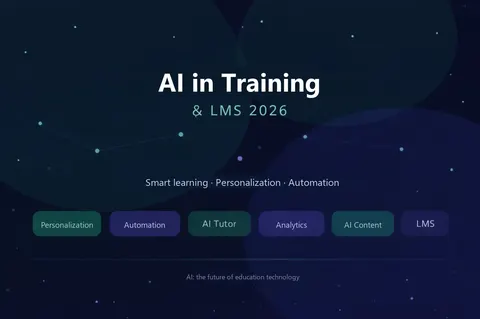
The current trend in applying AI to training is to bring AI into specific steps of the learning process: helping create learning content, explaining material, giving feedback on practice exercises and helping training owners spot where learners need support. When combined with an LMS (learning management system), these activities can be tied to courses, learner roles and training progress instead of being scattered across separate chatbot conversations.
AI does not create a good training program on its own. Organizations still need to set learning objectives, review content, check answers, protect data and assess on-the-job competence. This article distinguishes the AI capabilities already available in Moodle LMS from options that require additional integration, and lays out a suitable pilot roadmap for schools, training centers and businesses.
What does combining AI with an LMS mean?
An LMS organizes courses, learners, assignments, completion conditions and reports. AI can help create or process content, answer questions, suggest practice exercises and help analyze data within a designed scope. Combining AI with an LMS means placing AI tools at the right step of learning and tying them to learning sources, access permissions and an accountable owner.
For example, in a new-hire onboarding course, AI can help the training owner draft questions from approved materials. Once approved, the questions are added to the course in the LMS; employees take the quiz and managers track results. If you add a Q&A assistant, it should answer only from materials approved for use and cite sources where possible. This is a process that needs to be designed and tested, not an automatic feature found in every LMS.
Moodle LMS has core features for managing learning activities and progress; our article What is Moodle LMS? explains the platform in more detail.
Five notable ways to apply AI in training
- Help creating learning content: draft outlines, review questions or examples based on learning objectives. Subject-matter experts check accuracy, suitability and copyright before publishing.
- Contextual explanations and summaries: help learners understand a difficult passage in a course; answers should be checked against the official learning materials.
- Q&A assistant based on approved sources: find information in the organization’s documents and point learners to the relevant section. You need to define which documents it can access and what happens when the sources don’t contain an answer.
- Practice feedback: suggest improvements to a written piece, a customer consultation scenario or a short answer before an instructor grades it.
- Identifying where support is needed: combine progress, test results and feedback so training owners can see which groups are struggling. AI suggestions should be verified before changing learning paths.
These are implementation approaches, not a list of default features in any one product. How well they fit depends on training goals, available data, LMS version and budget.
Why put AI inside the LMS workflow instead of using a standalone chatbot?
An open chatbot can be useful for brainstorming, but training owners can hardly tell which version of a document an answer is based on or which learning steps a learner has completed. The LMS provides context: the current course, approved materials, assessments, access permissions and progress data. When integrated properly, AI can provide support at a clearly defined step of the learning journey.
For example, a learner reading a new product policy can ask for an explanation of a term right within the lesson. If the system uses approved source materials and states the limits of its answers, learners can verify them more easily. Administrators can also decide who may use the tool, in which courses and when it should be turned off.
An LMS does not make AI output accurate by itself. Accuracy depends on source materials, the model, prompt design, testing and error-reporting mechanisms. UNESCO emphasizes a human-centered approach when applying generative AI in education. See UNESCO's guidance.
How much does Moodle LMS currently support AI?
Moodle LMS has an AI subsystem for connecting AI providers via plugins. According to Moodle's documentation, administrators configure providers, actions and placements; users with appropriate permissions can use actions such as generating text or images in the editor, and summarizing and explaining course content. Actual capabilities depend on the version, configuration, permissions and the connected AI service. See Moodle's AI tools documentation.
Moodle states that AI placements are disabled by default and can be enabled and restricted through configuration; teachers can also adjust AI tools within their courses according to their permissions. See how Moodle manages AI placements.
Don't equate these features with an AI tutor that understands all of your organization's data, a Q&A assistant that cites sources or a system that adapts learning paths to competence. Those needs may require additional tools, content, integration and testing.
An AI assistant that answers from learning content: how should it be designed?
For organizations with many documents, one approach worth trying is having the assistant search approved learning sources before generating an answer. This approach of retrieving documents and then generating an answer is commonly called RAG. In an LMS, sources can be restricted by course, role or learner group if the architecture and access permissions are designed appropriately.
Before development, define: which version of a document is the primary source; who updates it when policies change; whether the assistant may see grades or personal data; which source passage each answer will link to; and what the assistant must say when it finds no evidence. A useful test case is asking about an expired policy: the assistant must prioritize the current version and not mix the two.
RAG helps control reference sources, but it doesn’t guarantee every answer is correct. For information that affects grades, entitlements or critical processes, there needs to be an escalation path to a responsible person for confirmation.
Where can AI-powered personalized learning start?
“Personalization” doesn't have to mean letting AI decide the entire course. A simpler first step is using placement test results or LMS progress to suggest areas to review, then letting the learner or instructor choose the next step. For example, an employee who misses many questions about a product line can be prompted to reread the relevant lesson and work through additional practice scenarios.
To judge whether a recommendation is useful, you need clear learning objectives, sufficiently reliable data and a way to measure results after the recommendation. Don't conclude that an employee lacks competence based only on page-view time or login counts. When learning data is used to make decisions that affect people, a responsible person should review the context.
The European Commission notes that AI in education can support learning but also raises ethical, legal and pedagogical questions. See the updated guidelines on AI and data in teaching.
Pilot example: AI supporting an onboarding course in the LMS
Suppose a company wants new customer service staff to master its request-handling process within four weeks. A small pilot could include:
- Preparation: the training owner finalizes the current process documentation, common scenarios and criteria for evaluating customer interactions.
- Building the course in the LMS: split content by week and assign readings, self-check questions and one practice exercise graded by a person.
- Adding AI at one point: pilot an assistant that explains terms from approved materials, or one that helps instructors draft questions.
- Testing: ask out-of-scope questions, ambiguous questions and questions containing personal data to see how the tool responds.
- Evaluation: compare manual support time, answer quality, practice scores and team lead feedback against the baseline.
If AI creates extra correction work or learners trust wrong answers, narrow the scope, fix the sources and retest before scaling up. Course completion rates alone don’t prove that AI has improved training quality.
Which risks should you address before bringing AI into your LMS?
- Wrong but plausible-sounding answers: test with hard questions, require sources and provide a way to escalate to an instructor when evidence is lacking.
- Exposure of personal or internal data: determine what data is sent to the AI provider, who has access and how data is stored or deleted.
- Outdated learning content: assign an owner, a review date and a process for retiring old versions before using content as an AI source.
- Bias and unfair assessment: don't use an automated comment as the sole basis for grades, competence or HR decisions.
- Over-reliance on ready-made answers: design assignments that require learners to explain their reasoning and practice, not just copy AI output.
UNESCO recommends protecting data and validating tools against pedagogical goals, with humans keeping an active role. Read the guidance on generative AI in education. Specific policies should fit your organization and the regulations where you operate.
Which metrics should you use to measure AI combined with an LMS?
Choose metrics that match the job AI is given. If AI helps draft learning content, measure the time from draft to approved version, the number of errors to fix and instructor feedback. If you use a Q&A assistant, measure the share of answers with appropriate sources, the number of cases escalated to the training owner and usefulness as rated by learners. If AI suggests review material, look at practice results after the suggestion, not just click counts.
Set a baseline before rollout and also account for operating effort: AI service costs, content review time, handling wrong answers and user support. LMS data helps track the learning process; impact on job performance needs additional evidence from practice exercises or managers.
A tool that gets a lot of use but doesn’t improve learning outcomes, or that increases data risk, is not yet a good investment.
How do you roll out AI with an LMS on a small scope?
- Choose a priority problem: for example, teachers spend too much time writing questions, or new hires struggle to find answers in documentation.
- Finalize sources and permissions: which documents are used, who owns them, and which data must not be fed into AI tools.
- Choose one scenario: drafting learning content or explaining the content of one course, instead of enabling AI across the whole system.
- Evaluate technical options: what your LMS version already supports, the AI provider, costs, access permissions and how errors are logged.
- Pilot with a small group: test correct, incorrect and unsourced answers, sensitive content and the experience on real devices.
- Measure, then decide on scaling: compare against the baseline; add new scenarios only once there is an operator and clear quality criteria.
If you use Moodle, start by checking your version and the AI tools described by Moodle; only then decide which parts need custom integration. Vidratek also discusses managing AI work by purpose in our article on splitting AI into separate projects.
FAQ about AI in training and LMS
Will AI replace teachers or training managers?
It shouldn’t. AI can help with drafting, explanations and preliminary feedback; people still need to set learning objectives, review content and assess important situations.
Does having Moodle mean you can use every AI feature?
No. AI actions depend on the version, the connected provider, placement configuration and permissions. A Q&A assistant based on internal documents or adaptive learning paths usually requires additional design.
Should learner data be entered into public chatbots?
Use data only in accordance with policies approved by your organization and the terms of the relevant service. Start by testing with non-sensitive materials and clearly define which data must never be sent out.
Which AI use case should you start with?
Choose a task with clear data sources and easily verifiable results, such as helping draft questions from an approved course or explaining content within a single course.
How does Vidratek help combine AI with Moodle LMS?
Vidratek implements Moodle LMS for schools, training centers and businesses, and also provides AI solutions and system integration. For AI in training, the first step is identifying the course or process to improve, trustworthy learning sources, access permissions and how results will be measured. Only then do we evaluate existing Moodle features and the appropriate integration scope. Learn about Vidratek’s services.
Want to pilot AI in a specific course or training program? Send Vidratek your learning objectives, number of learners, the LMS platform you use and one task that is taking up a lot of time. Vidratek can work with you to define a pilot scenario, quality criteria and an implementation roadmap. Contact Vidratek.
Back to all posts