
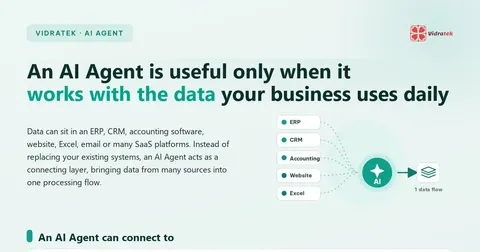
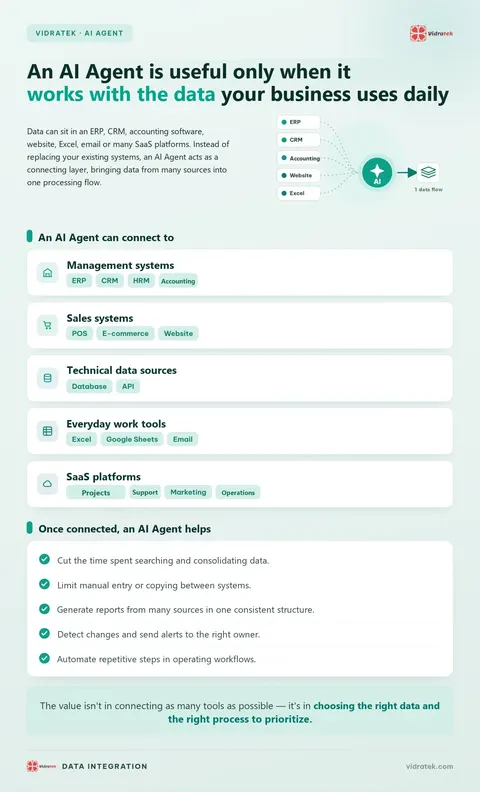
An AI Agent is only truly useful when it can work with the data your business uses every day. That data may sit in an ERP, CRM, accounting software, a website, Excel files, email or many SaaS platforms. Instead of asking a business to replace every existing system, an AI Agent acts as a connecting layer: it collects data from many sources, brings it into one processing flow and helps carry out tasks toward defined goals.
Which systems can an AI Agent connect to?
Depending on each business's infrastructure and access rights, an AI Agent can connect to:
- Management systems: ERP, CRM, HRM and accounting software.
- Sales systems: POS, e-commerce and websites.
- Technical data sources: databases and APIs.
- Everyday work tools: Excel, Google Sheets and email.
- SaaS platforms: project management, customer care, marketing and operations.
What can an AI Agent help with once sources are connected?
- Reduce the time spent searching for and consolidating data.
- Limit manual entry or copying between systems.
- Generate reports from several sources in one consistent structure.
- Detect changes and send alerts to the right owner.
- Automate repetitive steps in operating workflows.
Which data source should you connect first?
The value isn't in connecting as many tools as possible. It's in choosing the right data and the right process to prioritize. Start with one data source tied to the report or process that takes the most effort, then expand once it runs reliably.
Frequently asked questions about connecting data for an AI Agent
Which systems can an AI Agent connect to?
Depending on infrastructure and access rights: ERP, CRM, HRM, accounting, POS, e-commerce, websites, databases, APIs, Excel, Google Sheets, email and SaaS platforms.
Do we have to replace existing systems to use an AI Agent?
No. An AI Agent acts as a connecting layer, collecting data from many sources and bringing it into one processing flow.
Should we connect as many tools as possible at once?
No. The value lies in choosing the right data and the right process to prioritize.
Which data source should we start with?
Pick the one tied to the report or process that takes the most effort, then expand once it runs reliably.