
The biggest mistake in implementing an LMS is treating it like an online document store. Many businesses upload slides, videos and PDFs and stop there, without using learning paths, quizzes and reports. The system is then slowly forgotten. This article lists 7 common mistakes and how to avoid each one.
Mistake 1: Using the LMS as an online document store
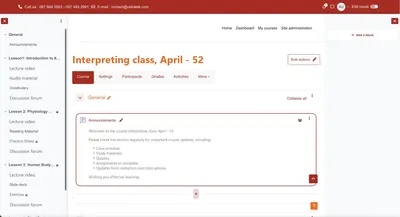
This is the most common mistake. When you only upload files and don't use learning-management features, you leave most of the LMS's value unused.
Consequences:
- Employees have no clear learning path.
- You can't measure training effectiveness.
- Course completion rates stay low.
How to avoid it:
- Design the LMS as a complete learning system.
- Build learning paths.
- Add quizzes and progress tracking.
Mistake 2: Unengaging training content
If the LMS only holds long, hard-to-read documents, learners quickly give up.
Consequences:
- High dropout rates.
- Employees learn just to tick the box.
- No real, measurable results.
How to avoid it:
- Break content into small lessons.
- Use video, quick quizzes and real scenarios.
- Apply gamification such as points and badges.
Mistake 3: Poor user experience (UX/UI)
A system that is hard to use makes employees reluctant to learn. When platforms like Moodle are customized poorly, the interface can become cluttered.
Consequences:
- Costs rise because of extra system training.
- Usage drops.
How to avoid it:
- Keep the design simple and easy to understand.
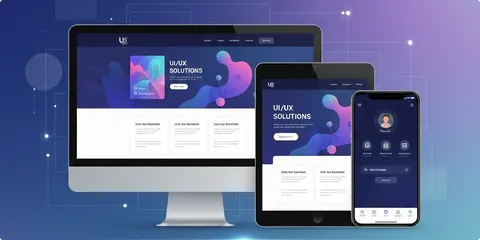
- Optimize for multiple devices such as phones and tablets.
- Make everyday actions convenient.
Mistake 4: Overusing plugins and features
Many businesses try to cram every possible feature into their LMS.
Consequences:
- A slow system.
- Error-prone and hard to maintain.
- A worse user experience.
How to avoid it:
- Keep only the features that serve your training goals.
- Prefer a lean, optimized system.
Mistake 5: Not training system users
Many businesses assume an LMS runs itself, but both admins and employees need guidance.
Consequences:
- Admins don't know how to operate it.
- Staff don't know how to use it to learn effectively.
How to avoid it:
- Train admins.
- Show employees how to use the system.
- Train each department on the core functions.
Mistake 6: Not measuring and optimizing
Without data, you won't know whether your LMS is effective.
Consequences:
- You can't improve the system.
- You can't prove the value of training.
How to avoid it:
- Track course completion rate.
- Track time spent learning.
- Evaluate post-training effectiveness.
Mistake 7: Not integrating the LMS with other systems
An LMS that operates in isolation loses much of the value it could deliver.
Consequences:
- Fragmented data across systems.
- Little room for automation.
How to avoid it:
- Integrate the LMS with HRM to sync staff data.
- Connect CRM when you train customers or partners. See how Moodle integrates with CRM, ERP and HRM.
How do you keep an LMS from being forgotten?
A system like Moodle can be very powerful, but if it is rolled out without clear goals and strategy, it will sooner or later be forgotten. When a business uses the LMS properly, it becomes an effective training tool and helps control costs. An LMS doesn't do the training for you, but used well it makes everything run more smoothly. On cost, read implementing an LMS without letting costs spiral.
Frequently asked questions about implementing an LMS
Why do many LMS platforms get abandoned after a while?
Usually because the LMS is used as a document store, lacks learning paths and measurement, and isn't integrated with daily work processes.
Which metrics should a business track in its LMS?
Course completion rate, time spent learning and post-training effectiveness.
Should I install many plugins for Moodle?
No. Keep only the features that serve your training goals, because too many plugins slow the system down and make it error-prone and hard to maintain.
Does an LMS need to be integrated with HRM?
Integration helps sync staff data and reduces manual work, but start with one small, clearly defined process.